Quickstart: BPD
Estimated time to complete: 7 minutes
Learning Goals
- Learn about BPD model inputs and outputs
- Run BPD model inference on a tomogram
Introduction
BPD (Biological Particle Detector) is a deep learning model that localizes macromolecular particles in cryo-ET denoised tomograms through 3D segmentation and coordinate extraction. Using a 3D CNN architecture, it processes input tomograms to generate binary masks, identify connected components, and output particle centroids (x,y,z). This quickstart demonstrates detection of ribosomes and other complexes within a tomogram.
Setup
If using Google Colab, connect to the T4 GPU runtime hosted for free by Google Colab using the dropdown menu in the upper right hand corner of this notebook.
"Runtime" -> "Change runtime type".
Using a GPU significantly speeds up running model inference, but CPU compute can also be used.
Clone Repository
To run BPD in Google Colab or your local machine, start by cloning the BPD repo and navigate to the newly created BPD folder using the commands below. The folder will also be present in the file management system in Google Colab which is accessible by clicking the folder icon on the left hand side bar of this notebook.
!git clone https://github.com/y284/biological-particle-detector.git
%cd /content/biological-particle-detector
Install Packages
Estimated installation time: 3 minutes
Install the following packages:
- mlflow
- connected-components-3d
- pandas
- torch
- copick
Note: If running in Colab, you will need to restart session after installation.
!pip install -r requirements.txt
!pip install "copick[all]"
Reset the directory after restarting the session.
%cd /content/biological-particle-detectorOutput:
/content/biological-particle-detectorRun Model Inference
Estimated time: 3 minutes
Package MLflow model
# Let's package our mlflow model
!python package.pyOutput:
2025/07/14 19:50:52 INFO mlflow.pyfunc: Validating input example against model signature
Downloading artifacts: 100% 1/1 [00:00<00:00, 3266.59it/s]
Downloading artifacts: 100% 1/1 [00:00<00:00, 2542.00it/s]
MLflow model packaged at: mlflow_modelDownload tomograms
# Here we will download some tomograms

import zarr

import copick
from copick.ops.get import get_tomograms

project = copick.from_czcdp_datasets([10440], "/tmp/test")
tomograms = get_tomograms(project, voxel_size=10.012, tomo_type="wbp-denoised-denoiset-ctfdeconv", parallel=True)
Predict particle coordinates (run inference)
# Let's use the first tomogram to run inference on

tomo = tomograms[0]
zarr_store = tomo.zarr()
zarr_array = zarr.open(zarr_store)['0']
print(f"Tomogram {tomo.tomo_type} of run {tomo.voxel_spacing.run.name} shape: {zarr_array.shape}")Output:
Tomogram wbp-denoised-denoiset-ctfdeconv of run 16465 shape: (184, 630, 630)Model inference should take around 2min
import mlflow

#load model and predict
model = mlflow.pyfunc.load_model("mlflow_model")
predictions = model.predict(zarr_array[:])Output:
NumExpr defaulting to 2 threads.Model Output and Visualization
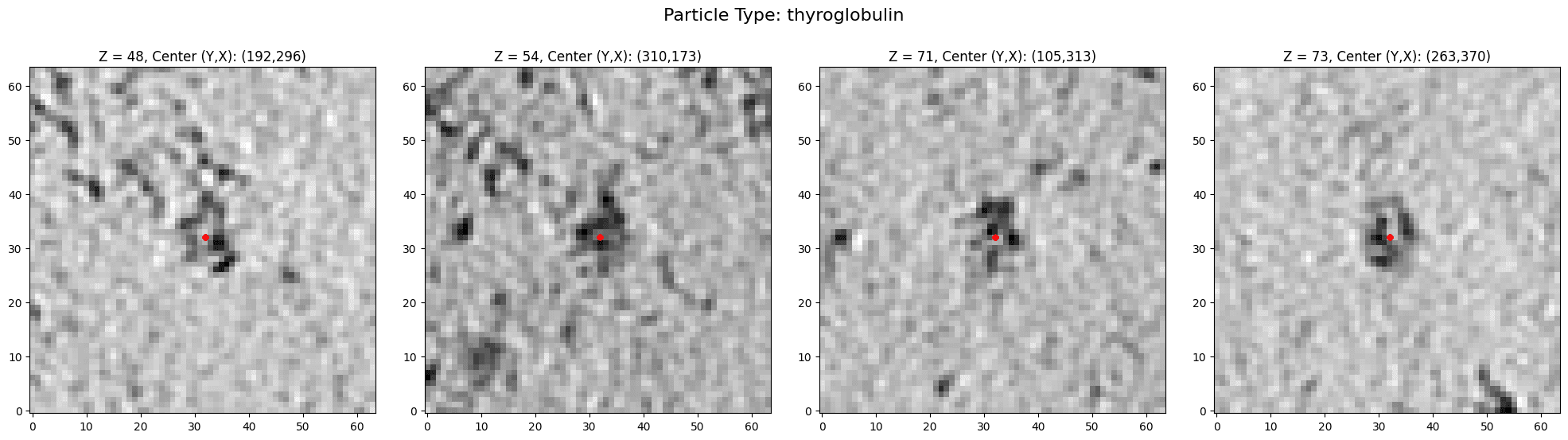
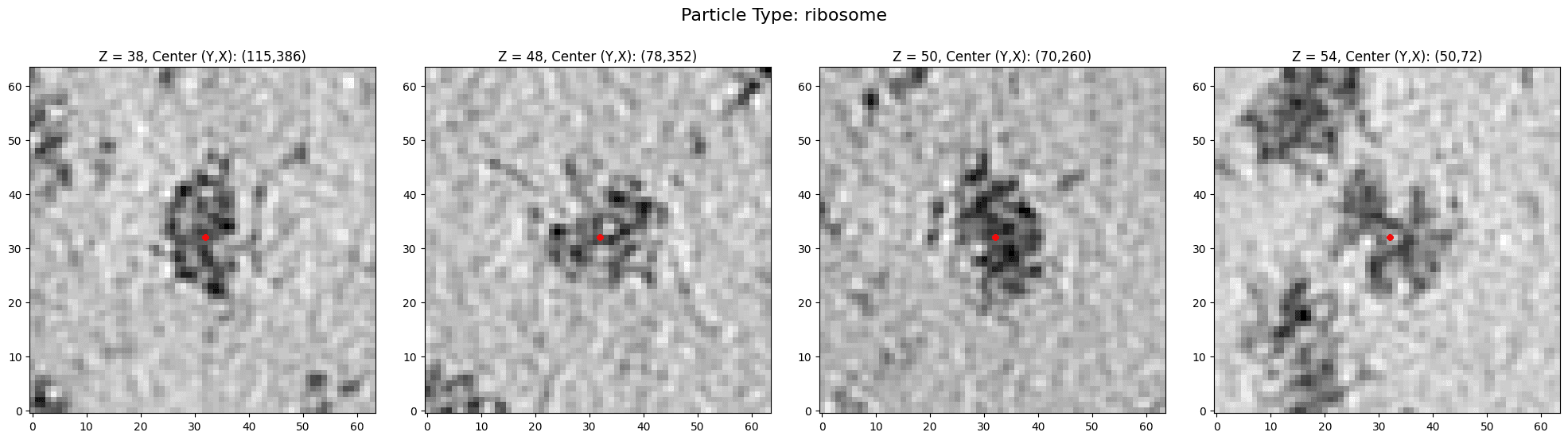
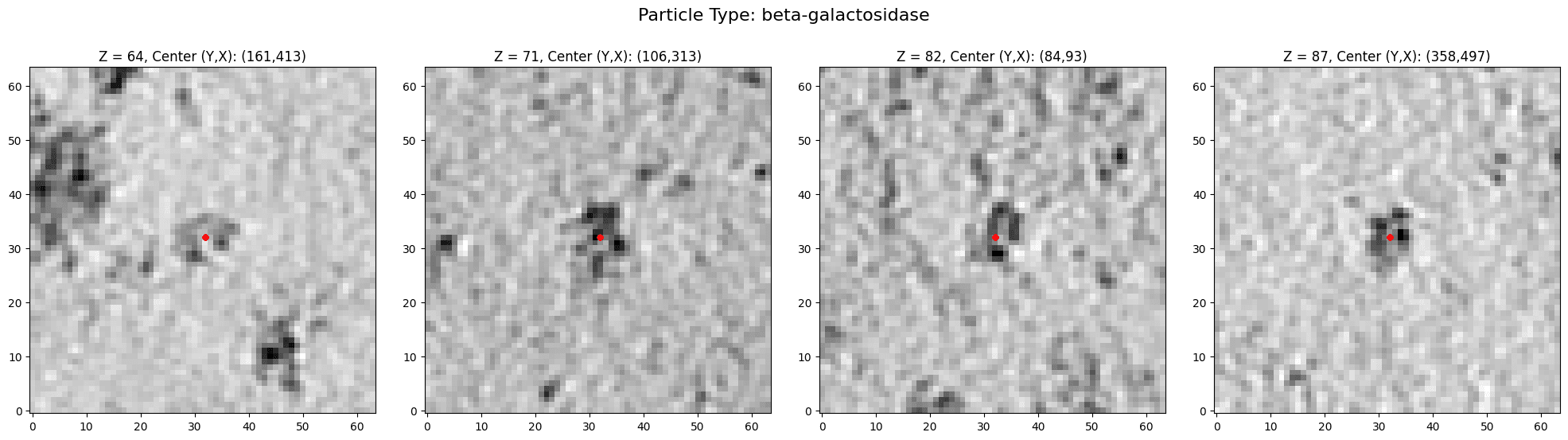
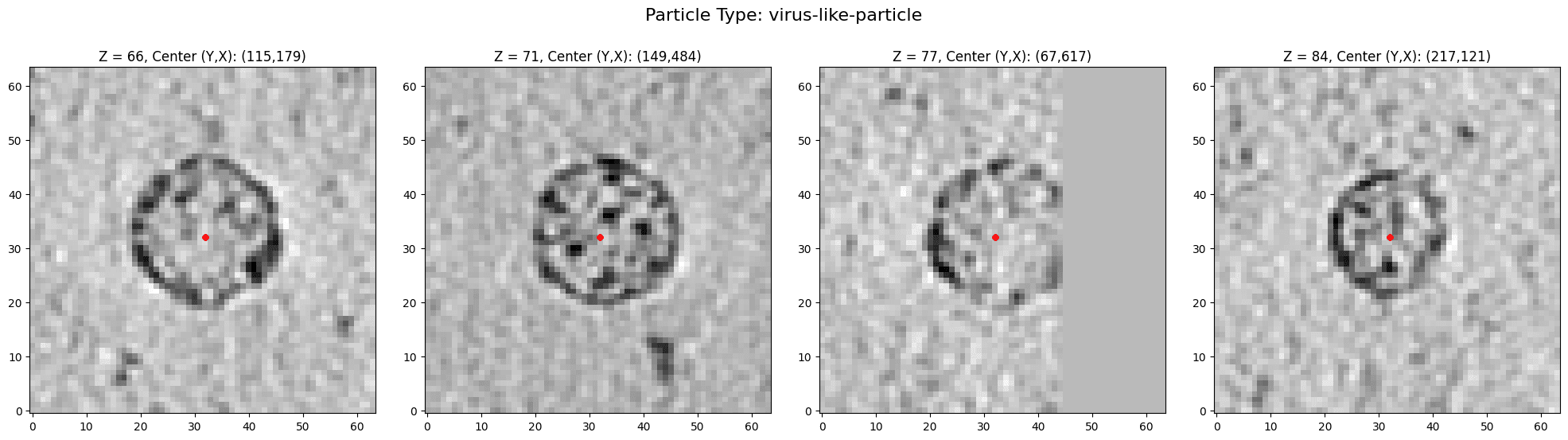
The model outputs coordinates of detected particles, so let's do some visualization.
for col in ["z","y","x"]:
  predictions[col] = predictions[col].map(lambda x: int(x))

predictions.head()Output:
| x | y | z | particle_type
0 | 460 | 215 | 46 | apo-ferritin
1 | 567 | 342 | 53 | apo-ferritin
2 | 546 | 150 | 53 | apo-ferritin
3 | 475 | 202 | 55 | apo-ferritin
4 | 150 | 286 | 61 | apo-ferritinimport numpy as np
import matplotlib.pyplot as plt
from collections import defaultdict
def visualize_particles(volume, coordinates, crop_size=64, particle_type=""):
"""
Visualize 64x64 regions around each (y,x) point in their respective Z slices.
Parameters:
- volume: 3D numpy array (Z, Y, X)
- coordinates: List of tuples (z, y, x)
- crop_size: Size of the square region to crop (default 64)
"""
# Determine the number of slices to display
n_slices = len(coordinates)
# Create a figure with subplots
fig, axes = plt.subplots(1, n_slices, figsize=(5 * n_slices, 5))
if n_slices == 1:
axes = [axes] # Ensure axes is iterable even for single slice
# Set the main title for the figure (particle type)
fig.suptitle(f'Particle Type: {particle_type}', fontsize=16, y=1.05)
for i, (z,y,x) in enumerate(coordinates):
# Extract the YX slice
yx_slice = volume[z, :, :]
slice_height, slice_width = yx_slice.shape
# Calculate crop boundaries
half_size = crop_size // 2
y_start = max(0, y - half_size)
y_end = min(slice_height, y + half_size)
x_start = max(0, x - half_size)
x_end = min(slice_width, x + half_size)
# Handle cases where the crop goes out of bounds
# Adjust crop size if near the edge
if y_end - y_start < crop_size or x_end - x_start < crop_size:
# If near the edge, pad with zeros or reflect
cropped = np.zeros((crop_size, crop_size), dtype=yx_slice.dtype)
y_slice = slice(y_start, y_end)
x_slice = slice(x_start, x_end)
cropped_y_start = half_size - (y - y_start)
cropped_y_end = cropped_y_start + (y_end - y_start)
cropped_x_start = half_size - (x - x_start)
cropped_x_end = cropped_x_start + (x_end - x_start)
cropped[cropped_y_start:cropped_y_end, cropped_x_start:cropped_x_end] = yx_slice[y_slice, x_slice]
else:
cropped = yx_slice[y - half_size:y + half_size, x - half_size:x + half_size]
# Display the cropped region
ax = axes[i] if n_slices > 1 else axes
ax.imshow(cropped, cmap='gray', origin='lower')
ax.set_title(f'Z = {z}, Center (Y,X): ({y},{x})')
ax.plot(crop_size // 2, crop_size // 2, 'ro', markersize=5) # Mark the center
plt.tight_layout()
plt.show()particle_types = [
'apo-ferritin',
'thyroglobulin',
'ribosome',
'beta-galactosidase',
'virus-like-particle'
]
for particle_type in particle_types:
to_visualize = predictions[predictions["particle_type"] == particle_type]
if len(to_visualize) == 0:
continue
num_samples = min(len(to_visualize), 4)
to_visualize = to_visualize.iloc[:num_samples]
coordinates = np.array(to_visualize[["z","y","x"]])
visualize_particles(zarr_array[:], coordinates, particle_type = particle_type)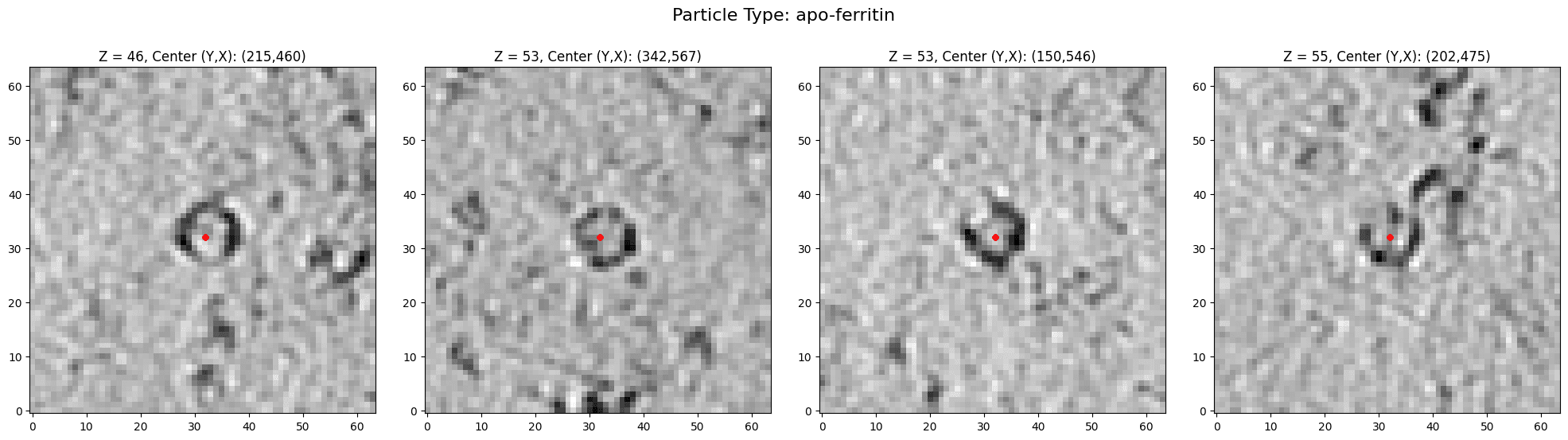
Contact
For issues with this quickstart please contact Youssef Ouertani at ouertaniyoussef@yahoo.fr
Responsible Use
We are committed to advancing the responsible development and use of artificial intelligence. Please follow our Acceptable Use Policy when engaging with our services.